
Glama, a directory of MCP servers, grades every server’s tool definitions, and one of the things it grades is how many tools there are. Its rubric calls 3 to 15 tools well scoped and 25 or more too many. Editmamei’s free edition gets an A overall but 1 out of 5 on tool count: “the surface is still extremely heavy and imposes substantial cognitive load.” That’s a fair rule of thumb for most servers: give a model too many tools and it starts confusing them, calling the wrong one or filling in the wrong arguments, and every miss costs the user tokens.
That rule works for a lot of servers. It doesn’t work for a photo editor. Anyone who has used Photoshop knows the shape of it: a dozen menus, one to two dozen items under each, and half of those open dialogs with their own options and modes. Natively, that’s hundreds of distinct operations. Mapping them one to one onto MCP tools would be a mess, and cutting them down to 25 would leave the AI unable to do the job.
I build Editmamei, an MCP server that lets Claude and other AI apps edit in desktop Photoshop using Photoshop’s own layers, masks and adjustments. It has 83 Photoshop tools. So I’ve been watching one number closely: how often the AI sends a call that’s wrong.
The numbers
Since June, Editmamei has logged 61,977 tool calls. 98.2% of them ran without an error.
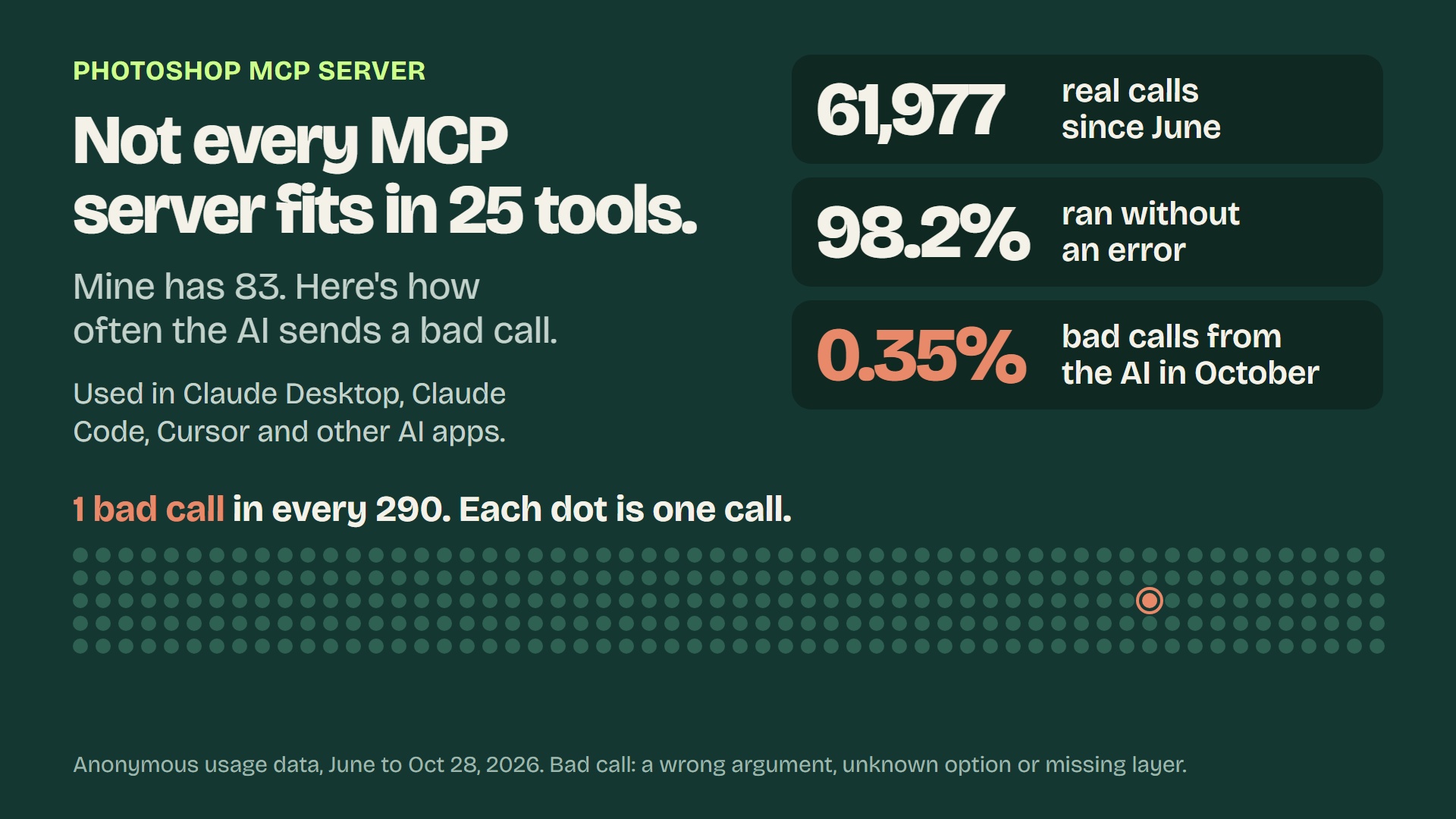
These calls don’t all come from one AI app, either. People run Editmamei from Claude Desktop, Claude Code, Cursor and other apps.
Most of the calls come from a small number of heavy users, so I checked per install too. In October, the typical install that made more than 20 calls saw 2.4% of them fail, a bit worse than the 1.7% across all calls. Heavy users mostly fail less often than light ones, which pulls the overall rate down.
A failure is any call that couldn’t do what it was asked. There are two kinds, and they need different fixes.
The AI sent a bad call. The arguments didn’t match the schema, it asked for an option that doesn’t exist, it named a layer that isn’t in the document, or it pointed a text operation at an image layer. This is the part that’s specific to MCP, and it’s the part tool design controls.
The call was fine, but something underneath failed. Photoshop timed out, a file couldn’t be read or written, or Photoshop wasn’t running. That’s ordinary software work: timeouts, retries and clear error messages.
In October, bad calls from the AI were 0.35% of all calls, about 1 in 290. In September it was 0.44%. Of the calls that failed in October, 20% were the AI’s fault and 80% were Photoshop or the machine.
Bad calls are a big part of what the 25-tool rule is meant to prevent. With 83 tools, they came to about 1 in 290.
What I did
1. Make every tool distinct to the model, not just to a person. Two tools that sound different to me can look alike to a model reading names and short descriptions. So every name says what it does, every description says when to use it, and where two tools sit close together, the description says which to pick.
2. One tool per job, with parameters for the variations. There’s no gaussian blur tool, motion blur tool and oil paint tool. There’s ps_filter, with a type that covers 18 filters and an op that covers applying a filter plus four ways to manage re-editable Smart Filters. When a call arrives, the server checks it against that one filter’s exact rules: its ranges and its required fields. The same pattern runs through the rest: one adjustment tool covers 14 adjustment types, one selection tool covers seven modes, and one inspect tool reads the document, layers, history and selection. The model picks the job, then fills in the details.
3. Errors that tell the model what to do next. When a call is wrong, the error lists what’s allowed: unknown filter type "x". Allowed: gaussian_blur, motion_blur, lens_blur, .... If the model typos the operation as “aply”, it gets back the full list, including “apply”. A bad call gets fixed on the next try instead of turning into a guessing loop.
4. A map, not a wall of tools. ps_ping, the first call, points the model at ps_overview, a short guide to how the tools combine, kept under 10 KB by a test. It also lists the jobs a model is tempted to write a script for, and the tool to use instead. ps_list_capabilities returns the whole surface as 16 groups, each with a one-line purpose and its tool names, so the model can orient before it picks.
Why I care about this number
Everyone using an MCP server is paying for the tokens their AI spends. A bad call is paid for twice: once for the miss, and again for the retry. A capable model could write a raw Photoshop script for most of what these tools do. A server only earns its place if it’s cheaper and more reliable than that, so the miss rate is the number I watch.
The remaining 80% of failures are the environment, mostly timeouts and file access.
Cloudflare just published a different approach for its own MCP server. It covers more than 2,500 API endpoints with two tools, search and execute: the model writes code against a typed version of the API instead of calling one tool per endpoint. I might try it on Editmamei and compare the numbers. Has anyone moved a large server to that pattern yet? How is it working for you?
Editmamei is free to try at editmamei.com.